
Foundations
ChatGPT and Claude vs My Command Center: Cost Comparison for Small Businesses
See how ChatGPT and Claude compare to My Command Center on real-world cost, customization, and service for small businesses.
ChatGPT and Claude vs My Command Center: Cost Comparison for Small Businesses
If you run a small business, you’ve probably heard that tools like ChatGPT and Claude can help you answer customer questions, write content, and automate routine work. But once you start trying to use them day to day, a new set of questions shows up: Which one should you choose? How much will it really cost as you grow? And how do you turn “a chatbot” into something that actually runs your business processes?
This is where My Command Center comes in: not as another chatbot, but as a more customizable, affordable, service-focused layer built for small businesses.
This post breaks down the real cost of using ChatGPT and Claude on their own compared to using My Command Center as your command layer.
ChatGPT and Claude: Great Engines, Limited as Standalone Tools
ChatGPT and Claude are powerful general-purpose AI tools. Out of the box, they’re good at:
- Drafting emails, posts, and marketing copy
- Answering questions and summarizing information
- Brainstorming ideas and variations
But for a growing small business, using them directly can create challenges:
- Every workflow is manual. You and your team have to keep re-explaining your business, your offers, and your tone.
- It’s easy to lose consistency. Different team members may set them up in different ways, leading to mixed messaging and uneven quality.
- You’re on your own. Beyond basic documentation, there’s no service layer that understands your business and helps you design, maintain, and improve your automations.
They’re strong engines—but an engine alone doesn’t give you a finished vehicle.
From a cost perspective, ChatGPT can also look deceptively simple. A standard ChatGPT Business or Team seat is priced similarly to a typical SaaS subscription per user per month, and then you layer on credits and add-ons as usage grows (see OpenAI’s ChatGPT Business pricing and ChatGPT / API pricing for details). For a three-person team, that often turns into a stack of separate seats, separate tools, and separate experiments that all need time and attention.
Why My Command Center Is More Customizable
My Command Center is designed as your “command center” on top of the tools you already use. The focus is on customization for your specific business, so you can:
- Optimize your processes. Turn your best responses, processes, and brand guidelines into reusable workflows instead of one-off prompts.
- Standardize how AI is used. Build consistent flows for support, sales, internal operations, and content—so every employee uses the same high-quality setup.
- Adapt as you grow. As your offers, pricing, or policies change, you update them once in your command center instead of chasing down dozens of prompts across tools and team members.
Where ChatGPT and Claude give you a blank canvas each time, My Command Center is built to store and evolve your business’s “brain” in one place.
With the Business plan, for example, you’re not just getting model access—you’re picking the teams (like Marketing, Sales, Customer Support, HR/Hailey, Website, or Project Management) that come with their own agents, connections, and ready-to-run workflows built around how those functions actually operate.
Cost Comparison: ChatGPT and Claude vs My Command Center in Practice
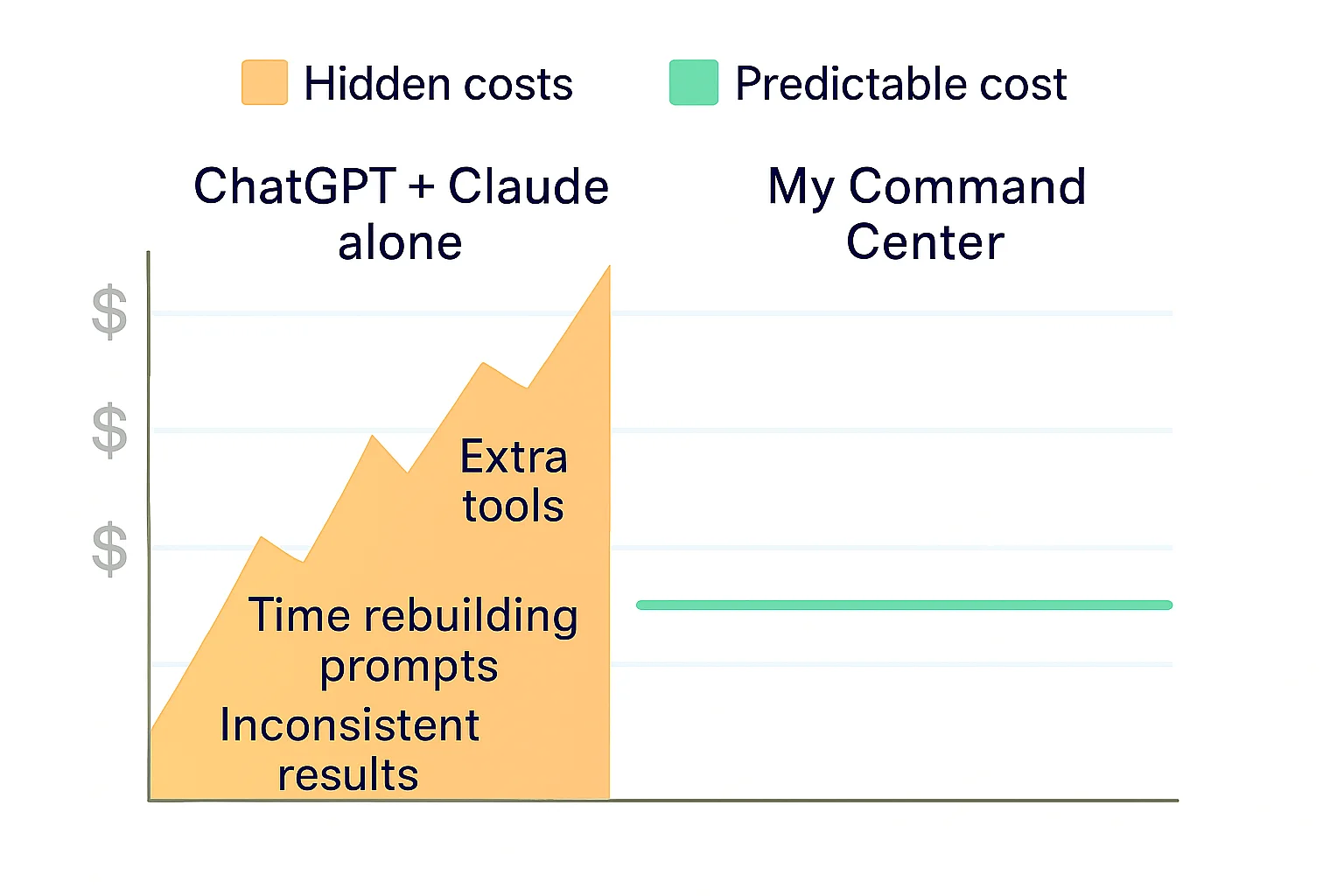
On paper, general-purpose AI tools can look inexpensive—especially at the beginning. But for small businesses, the real cost shows up in:
- Time spent building and rebuilding prompts
- Inconsistent results that need manual fixing
- Fragmented experimentation across team members
- Multiple overlapping tools that each solve only one slice of the problem
A typical setup might look like this for a three-person team:
- 3 ChatGPT Business or Team seats, each billed per user per month
- Extra credits or usage fees for advanced features as people lean on the tool more
- A handful of additional point solutions (for automations, integrations, or scheduling)
- Several hours a month of someone’s time trying to glue it all together and keep it consistent
Even if the base license cost feels low, by the time you add extra tools and internal hours, you can easily drift into a few hundred dollars per person, per month, in effective AI spend—with no single place that runs the operation for you.
By centralizing your workflows, My Command Center helps you:
- Reuse proven flows instead of recreating them. That reduces the hours your team spends “figuring it out” each time.
- Avoid tool sprawl. Instead of paying for multiple overlapping AI tools, you route key use cases through a single command center.
- Scale without hidden overhead. As volume grows, you improve the workflows themselves, not just throw more people and ad‑hoc prompts at the problem.
And because My Command Center is priced to cover multiple people and multiple functions at once, the math looks different:
- The Business plan starts at $249/month with 2 seats included, plus an AI-powered team (Support, Marketing, Sales or HR) wired into your dashboard (see the My Command Center Plans page for the latest details).
- Additional seats are $25/month, so you can add more users without rethinking your entire stack.
Instead of paying per-user for a bare prompt box and then bolting tools and people around it, you’re paying one predictable amount that already assumes multiple users, multiple workflows, and ongoing operation.
The result: more predictable, business-ready output from AI and a lower total cost than trying to manage ChatGPT and Claude as disconnected, standalone tools.
Why My Command Center Is a Service, Not Just Software
Perhaps the biggest difference is that My Command Center is built as a service, not just a login.
That means:
- You’re not alone in setup. Instead of handing you a blank prompt box, My Command Center is positioned to help you design the flows, automations, and guardrails your business needs.
- You get guidance, not guesswork. As your use of AI matures, you have a partner focused on helping you refine your workflows, not just a product you have to keep configuring.
- It’s aligned with your outcomes. The goal isn’t “use more AI,” it’s “get better, more consistent results from AI in the areas that matter most to your business.”
For small businesses, that service orientation can be the difference between “we tried AI once” and “AI quietly runs a big part of how we operate.”
It also matters when you compare My Command Center to hiring an AI automation agency. Published 2026 pricing guides put ongoing agency retainers at roughly $3,000–$20,000 per month, with a one-time build fee of $5,000–$15,000 for a single automated workflow (Layer3Labs, updated July 2026). A separate 2026 agency pricing guide puts ongoing AI automation maintenance at $500–$5,000+ per month on top of a $2,500–$15,000 implementation project (Digital Agency Network, January 2026). Both are published by firms that sell these services, so read them as list prices rather than verified market averages. My Command Center’s Custom plan is scoped to your operation — managed teams, unlimited seats, and a named operator running your AI workflows for you.
Choosing the Right Fit
If you’re deciding between ChatGPT, Claude, and My Command Center, it helps to see the difference clearly. If you’re weighing ChatGPT vs My Command Center or Claude vs My Command Center, think about how you prefer to work and what you really want AI to own for you:
- ChatGPT and Claude are powerful engines—great at generating text and answering questions, but you’re largely responsible for turning them into repeatable business systems and controlling how much you really spend.
- My Command Center is your command layer—more customizable, more affordable in real-world use, and delivered as a solution that helps you design and run those systems across multiple teams.
You don’t have to give up the raw power of ChatGPT or Claude. Instead, you can put them to work inside a structure that actually fits how your small business runs—and that gives you a clearer, more predictable cost profile as you grow.
Next Steps
If you’re ready to move beyond one-off prompts and experiments, and you want AI that actually reflects how your business works, My Command Center is built for you.
Here are a few good next steps:
- Explore what we can do. Visit our site to see how My Command Center turns ChatGPT, Claude, and other tools into a single, customized command layer for your business.
- Check out plans and pricing. Review the Plans page to compare options like the Business and Custom plans and see what fits your team size and goals.
- Review our teams and use cases. Look at the different Teams (Support, Marketing, Sales, HR/Hailey, Website, Project Management, and more) to understand where AI can have the biggest impact first.
- Browse integrations. See which tools and platforms we connect with so My Command Center can plug into the systems you already use.
- Contact us. Reach out to talk through your specific situation, compare it to “DIY plus tools” or agency costs, and map out a right-sized starting point.
Ready to put this to work?